Login Instructions
Written Steps for Adding Emergency Contacts
-
Login to Online Services
createSignIn.jpg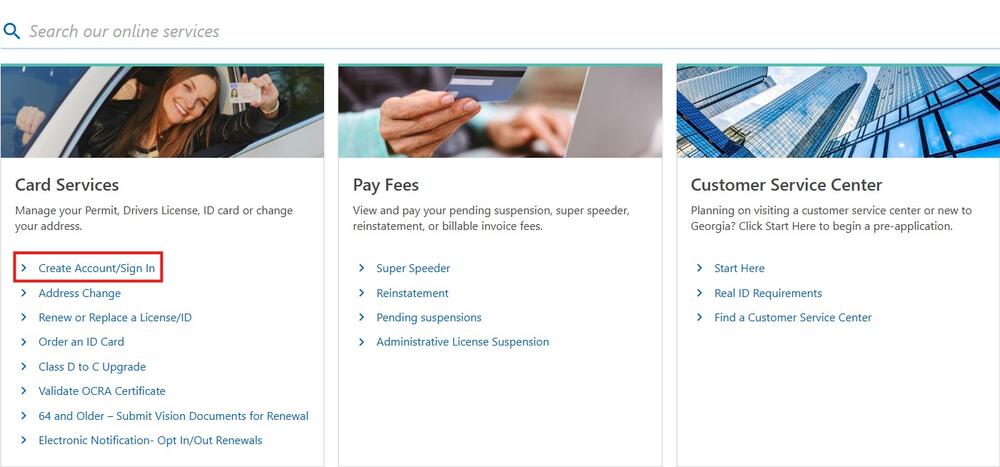
* Note: If you don’t already have an online account you will need to create one first. If you need assist with verifying your identity, please call 678-413-8858 to conduct a secure video verification during our business hours Monday - Friday 8 am – 5 pm.
-
Manage Your Profile
After you have logged into Online Services it as simple as selecting "Manage My Profile" and clicking "Update Contact Information" as shown below:
manageProfile.jpg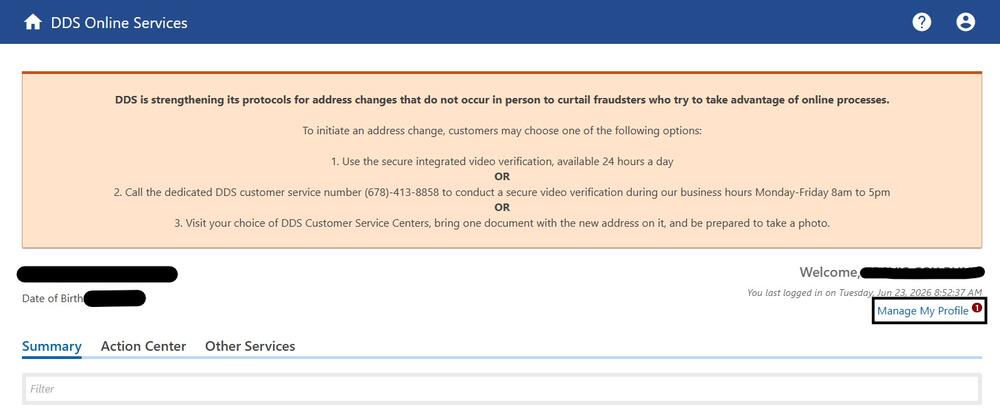 updateContact.jpg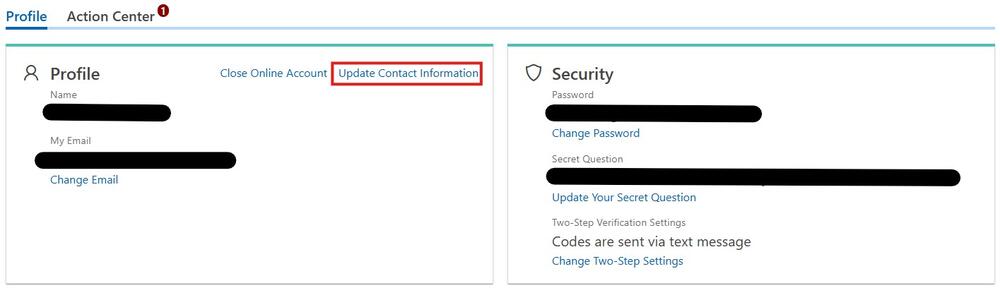
-
Add Your Emergency Contact
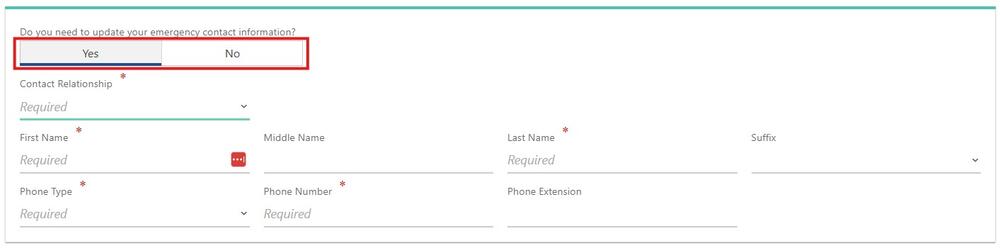
At the bottom of your profile, select "Yes" for "Do you need to update your emergency contact information?" and enter that information hitting "Next" when you are done.
*Note: You may have to also update your contact information before clicking "Next". You should be informed that you have updated your information. Don't forget to click "Submit" to save these changes.
updateinformation.jpg